AI Workforce Planning: How to Decide Which Roles to Automate First
A practical framework for evaluating which roles to automate with AI, which to augment, and which to leave alone. Includes a scoring model and ROI calculation approach.
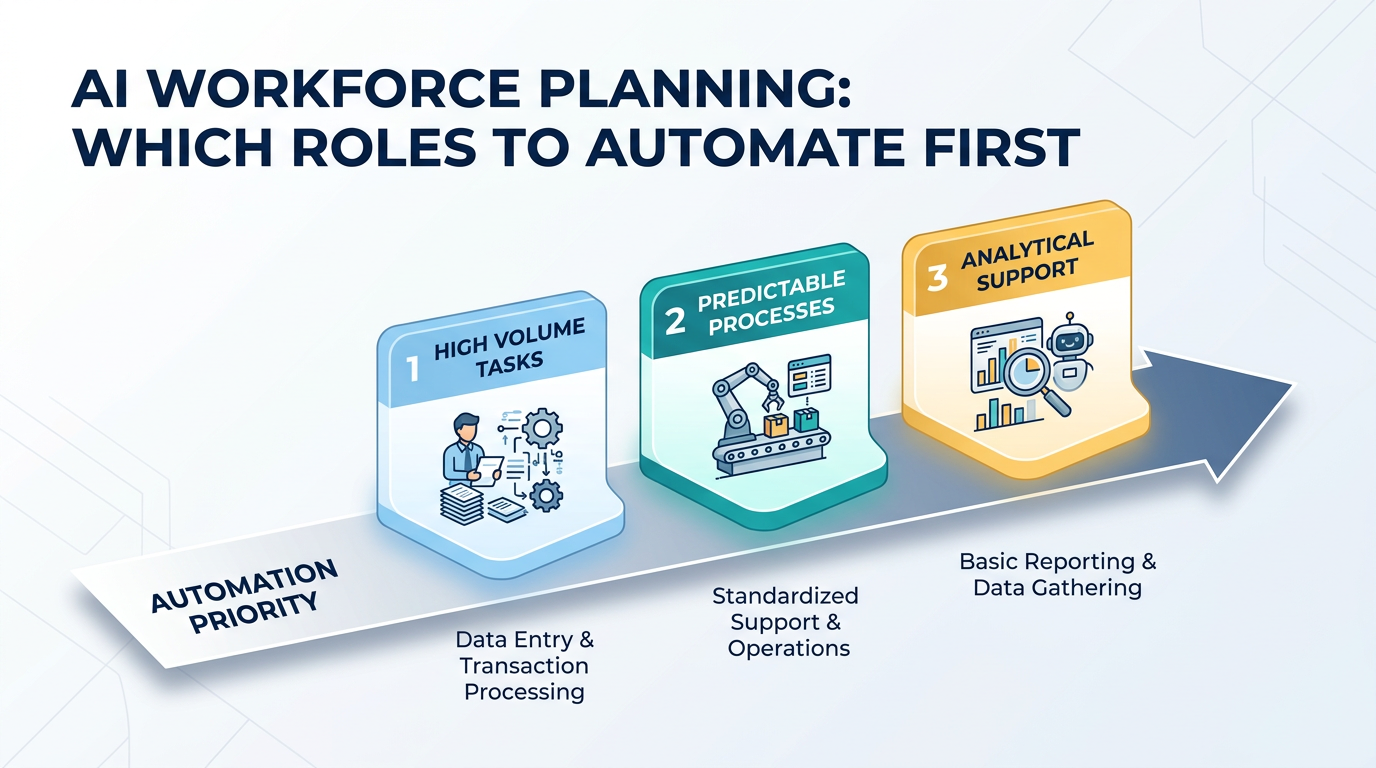
Every executive we talk to asks the same question within the first five minutes: "Which roles should we automate first?"
The wrong answer is "all of them" or "none of them." The right answer requires a framework. Not every role is equally suited for AI automation, and the order in which you automate matters more than most people realize. Automate the wrong role first and you'll waste six months, burn trust, and conclude that AI doesn't work for your company. Automate the right role first and you'll build momentum that carries through the next five deployments.
Here's the framework we use with every customer.
The Role Evaluation Matrix
Every role in your organization can be scored on four dimensions. Each dimension uses a 1-5 scale. The total score determines whether the role is a strong automation candidate, an augmentation candidate, or one you should leave alone for now.
Dimension 1: Volume
How many times per day, week, or month is this work performed?
- 5: Hundreds of instances per day (ticket triage, data entry, invoice processing)
- 4: Dozens per day (email responses, report generation)
- 3: Several per day (meeting scheduling, vendor communications)
- 2: A few per week (strategic analysis, content creation)
- 1: Occasional (annual planning, organizational design)
High-volume roles benefit most from automation because the time savings compound. An AI that saves 5 minutes per task across 200 daily tasks saves over 16 hours a day. The same savings on a weekly task barely registers.
Dimension 2: Rule-Based vs. Judgment-Based
How much of the work follows explicit, documentable rules?
- 5: Almost entirely rule-based. Clear inputs, deterministic outputs, documented exceptions. (Payroll processing, compliance checks)
- 4: Mostly rule-based with occasional judgment calls. (Tier-1 support, data validation)
- 3: Mixed. Some rules, some judgment. (Recruiting screening, content editing)
- 2: Mostly judgment-based with some structured elements. (Sales strategy, product design)
- 1: Almost entirely judgment. No two instances are alike. (Executive leadership, crisis management)
Rule-based work is easier to evaluate, easier to monitor, and safer to automate. Judgment-based work can be augmented but rarely fully automated with current technology.
Dimension 3: Data Availability
Is the information needed to do this work available in digital, structured form?
- 5: All data is digital, structured, and accessible via APIs. (ERP data, CRM records, ticketing systems)
- 4: Most data is digital. Some manual data gathering needed. (Email correspondence, document repositories)
- 3: Mixed. Some structured data, some unstructured, some not digitized. (Customer feedback, meeting notes)
- 2: Mostly unstructured or analog. (Handwritten forms, physical inspections)
- 1: Critical information exists only in people's heads. (Institutional knowledge, relationship context)
AI agents need data to work. If the data doesn't exist in accessible form, you'll spend more time on data infrastructure than on the AI itself.
Dimension 4: Error Tolerance
What's the cost of a mistake?
- 5: Mistakes are easily caught and corrected. Low consequence. (Internal report formatting, meeting summaries)
- 4: Mistakes are noticeable but recoverable. Moderate consequence. (Email drafts that get human review, data categorization)
- 3: Mistakes have real impact but are not catastrophic. (Customer communications, financial categorization)
- 2: Mistakes are costly. Regulatory, financial, or reputational impact. (Contract terms, compliance filings)
- 1: Mistakes are potentially catastrophic. (Medical decisions, safety-critical systems, legal commitments)
Higher error tolerance means you can deploy faster and iterate more aggressively. Low error tolerance means you need extensive evaluation, monitoring, and human oversight, which increases cost and reduces the ROI advantage.
Scoring and Prioritization
Add the four scores. Maximum possible is 20.
16-20: Strong automation candidate. High volume, rule-based, data-rich, error-tolerant. These roles should be automated first. Examples: ticket triage, data entry, invoice processing, compliance monitoring, vendor management.
11-15: Augmentation candidate. Moderate scores across dimensions. AI can handle portions of the work, but humans remain in the loop. Examples: recruiting screening, content drafting, sales research, customer onboarding.
6-10: Leave for now. Low volume, judgment-heavy, data-sparse, or error-intolerant. The technology might get there, but today the ROI doesn't justify the risk. Examples: strategic planning, creative direction, complex negotiations, people management.
5 or below: Not an automation candidate. Don't try. The work is too unstructured, too high-stakes, or too dependent on human relationships.
ROI Calculation
Scoring tells you what to automate. ROI tells you whether the automation justifies the investment.
The Simple Model
Current cost of the role:
- Fully loaded salary (or hourly rate × hours)
- Include benefits, tools, management overhead, and training
- Multiply by the number of FTEs doing this work
Cost of AI automation:
- Platform or service fees
- Integration and deployment costs
- Ongoing monitoring and maintenance
- Human oversight during transition (typically 3-6 months at reduced capacity)
Expected automation rate:
- What percentage of the work will the AI handle? Be conservative. Use 60-70% for your first deployment, even if the vendor promises 90%.
ROI = (Current cost × automation rate − AI cost) / AI cost
A Worked Example
Role: Tier-1 customer support Current cost: 4 FTEs at $65,000 fully loaded = $260,000/year AI cost: $500/month self-service operator + $15,000 integration = $21,000/year (or $5,000/month fully managed = $75,000/year) Automation rate: 70% (conservative)
Savings: $260,000 × 0.70 = $182,000 Net benefit (self-service): $182,000 − $21,000 = $161,000/year — ROI: 667% Net benefit (fully managed): $182,000 − $75,000 = $107,000/year — ROI: 143%
The remaining 30% of work still requires humans, but you've reduced the team from 4 to 2 (handling escalations and edge cases) while improving response times and consistency.
What the Simple Model Misses
Quality improvements. AI operators don't have bad days, don't forget training, and respond in seconds. The quality uplift has downstream value (customer satisfaction, retention) that's harder to quantify but real.
Scalability. Adding volume to a human team requires hiring. Adding volume to an AI operator requires a configuration change. If your business is growing, the compounding value of automation increases over time.
Opportunity cost. The humans freed from automated work can move to higher-value activities. If your support agents become customer success managers, the ROI calculation changes significantly.
The Sequencing Strategy
Don't automate five roles simultaneously. Sequence them for maximum learning and momentum.
Phase 1: The Proof Point (Month 1-3)
Pick your highest-scoring role. Deploy. Measure. This first deployment proves the concept to your organization and builds the institutional muscle for future deployments.
Choose a role where:
- The team is supportive (or at least open-minded)
- Success is clearly measurable
- The business impact is visible to leadership
- Failure is recoverable
Phase 2: Scale What Works (Month 3-6)
Deploy 2-3 more roles using the playbook refined in Phase 1. These should also be high-scoring roles, but you can now move faster because the organization understands the process.
Phase 3: Push the Boundary (Month 6-12)
Start working on augmentation candidates. These are harder, require more human-in-the-loop design, and won't produce the same dramatic ROI as Phase 1. But they extend the value of AI across more of the organization.
Common Mistakes
Automating the Prestigious Role First
Some companies try to automate a high-profile, judgment-heavy role first because it would be "impressive." This almost always fails. Strategic analysis or creative direction scores low on the matrix for a reason. Start with the high-volume, mundane work. It's less sexy and far more valuable.
Ignoring Change Management
AI automation changes people's jobs. Sometimes it eliminates them. Ignoring the human impact guarantees resistance. Be transparent about what's changing, provide retraining where appropriate, and involve affected team members in the deployment process.
Optimizing for Cost Alone
The cheapest automation isn't always the best. A solution that saves $50K but creates a terrible customer experience is a bad trade. Quality, speed, and scalability matter as much as cost.
Treating It as a One-Time Decision
Workforce planning with AI isn't a one-time exercise. Re-evaluate quarterly. Technology improves, roles change, and new automation opportunities emerge. The role that scored 10 this quarter might score 14 next quarter as data infrastructure improves.
The Bigger Picture
AI workforce planning isn't about replacing humans with machines. It's about deploying the right intelligence for the right work. Some work is better done by humans. Some work is better done by AI. The organizations that figure out the split will outperform those that don't.
The framework above gives you a structured way to make those decisions. Score the roles, calculate the ROI, sequence the deployments, and iterate based on results.
At OpFleet, we help companies through this entire process. We evaluate roles, deploy AI operators for the highest-impact functions, and manage the ongoing operation. Your workforce gets upgraded, not just automated.
Ready to plan your AI workforce? Start with a role assessment →