How to Hire AI Employees: A Practical Guide for 2026
A step-by-step framework for hiring AI employees — from defining the role and running evaluations to onboarding, performance reviews, and knowing when to fire them.
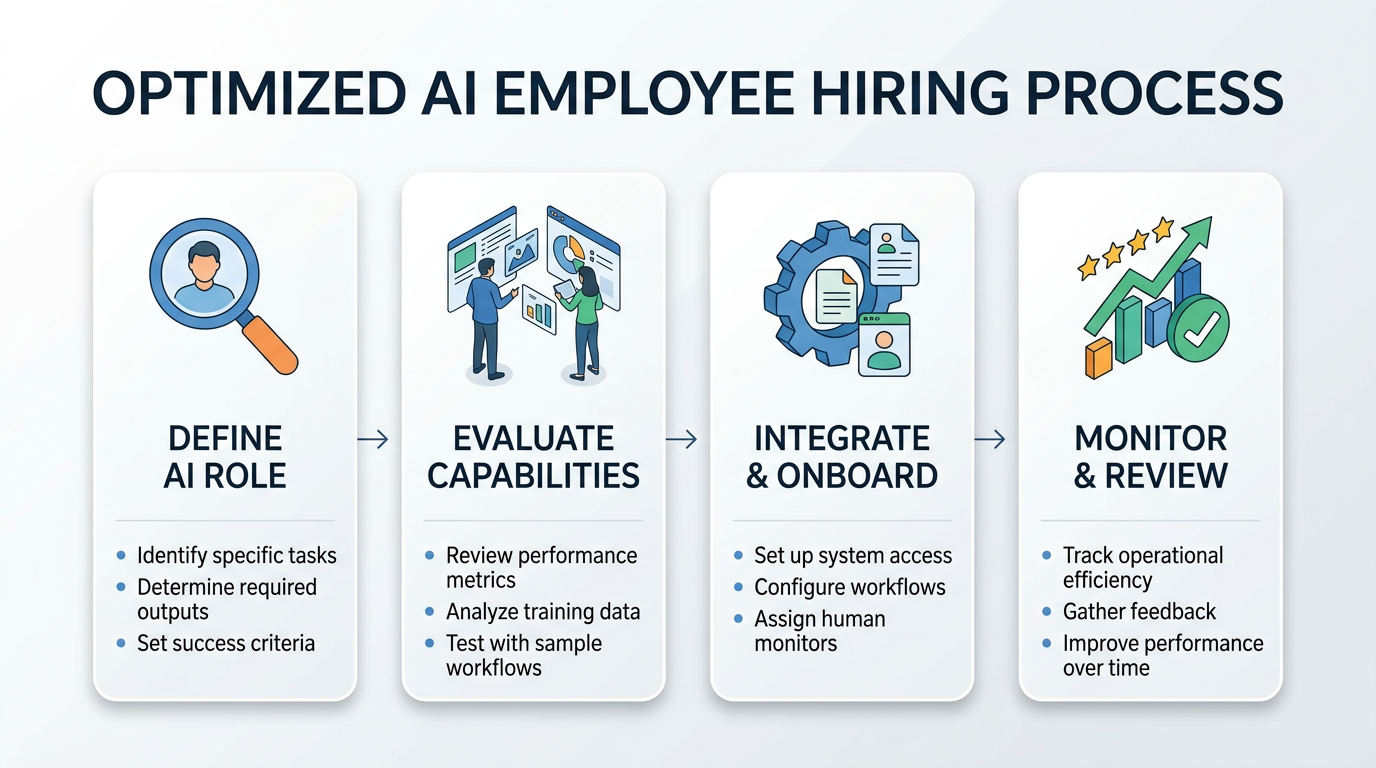
Most companies treat AI deployment like a software rollout. Install it, configure it, move on. That's why most AI deployments fail.
The companies getting real results treat AI deployment like hiring. They define roles, run interviews, onboard carefully, and review performance. The mental model matters more than the technology. If you think of an AI system as software, you'll manage it like software. If you think of it as an employee, you'll manage it like an employee. The second approach works dramatically better.
Here's the practical guide we wish existed when we started deploying AI operators for enterprise teams.
Step 1: Define the Role Before You Shop for Technology
You wouldn't post a job listing that says "we need someone smart who can do stuff." Yet that's essentially what happens when a team says "we need AI." The first step is writing a job description.
What Goes in an AI Job Description
Start with these questions:
- What specific tasks will this role handle? Not "customer support" but "respond to tier-1 support tickets, categorize issues, escalate complex cases, and update the knowledge base."
- What systems does it need access to? CRM, ticketing platform, knowledge base, email. List them all.
- What decisions can it make independently? Can it issue refunds under $50? Can it close tickets? Can it update customer records?
- What should it never do? Delete data, contact VIP accounts, make promises about unreleased features.
- How will success be measured? Response time, resolution rate, customer satisfaction, escalation accuracy.
The more specific you get, the better your deployment will go. Vague roles produce vague results, with humans or with AI.
Autonomy Levels
Every AI role needs a defined autonomy level. We use a simple framework:
- Shadow: AI processes inputs and generates recommended actions, but a human reviews and executes everything. Zero autonomy.
- Assisted: AI handles routine decisions automatically. Unusual cases get flagged for human review.
- Supervised: AI operates independently within defined boundaries. Humans review a sample of outputs and handle escalations.
- Autonomous: AI owns the function end-to-end. Humans monitor metrics and handle exceptions.
Most roles should start at Shadow and progress. Jumping straight to Autonomous is how you end up in the news for the wrong reasons.
Step 2: Interview Your Candidates (Run Evaluations)
Here's where the analogy gets interesting. You wouldn't hire a human based on their resume alone. You'd interview them. AI employees need interviews too, but we call them evaluations.
Build an Eval Suite
An eval suite is your interview process. It tests whether the AI can actually do the job you've defined.
Component 1: Task-specific benchmarks. Create 50-100 examples of real work the role handles. Include easy cases, hard cases, and edge cases. Run the AI through all of them and measure accuracy.
Component 2: Judgment calls. Present scenarios where the right answer isn't obvious. "A customer is asking for a refund on a product they've clearly used for three months. What do you do?" The goal isn't a single right answer. It's seeing whether the AI's reasoning aligns with your company's values.
Component 3: Failure modes. Deliberately try to break it. Feed it contradictory instructions, incomplete information, or adversarial inputs. You want to know how it fails before it fails in production.
Component 4: Integration tests. Can it actually use the tools it needs? Connect it to sandbox versions of your systems and verify it can read data, write data, and handle errors gracefully.
Scoring
For each component, define pass/fail criteria before you run the eval. "80% accuracy on task benchmarks, reasonable judgment on 90% of scenarios, no catastrophic failures, all integration tests passing." If a candidate doesn't meet your bar, don't deploy it. Just like you wouldn't hire a candidate who bombed the interview.
Step 3: Onboard Carefully
You've defined the role. You've run evaluations. Your AI candidate passed. Now comes onboarding.
Week 1: Shadow Mode
Deploy the AI in shadow mode. It processes every input and generates outputs, but nothing goes live. A human reviews every action.
During this week, you're looking for:
- Consistency: Does it handle similar cases similarly?
- Quality: Are its outputs at least as good as your average human employee?
- Gaps: What types of cases does it struggle with?
- Speed: How fast does it process requests?
Document everything. This baseline becomes your reference point for measuring improvement.
Week 2: Assisted Mode
Start letting the AI handle routine, low-risk tasks autonomously. Keep human review on anything complex or high-stakes.
The key here is defining "routine" precisely. Don't leave it to judgment. Create explicit rules: "If the ticket category is password reset AND the customer is verified AND the account is in good standing, the AI can handle it autonomously. Everything else gets reviewed."
Week 3-4: Expanding Scope
Gradually increase the AI's autonomy based on performance data from weeks 1 and 2. Expand the categories of tasks it handles independently. Reduce the review frequency on tasks where it's performing well.
This is where most companies get impatient. They see good results in week 2 and want to skip to full autonomy. Don't. The ramp matters. Each week of careful expansion builds confidence and catches edge cases before they become incidents.
Step 4: Set Up Performance Reviews
Human employees get quarterly reviews. AI employees should get reviewed more frequently, at least monthly, and ideally with continuous monitoring.
What to Measure
Accuracy metrics. What percentage of tasks does the AI complete correctly? Track this over time. You want a steady or improving trend.
Efficiency metrics. How fast does it work? What's the cost per task? Compare this to the human baseline.
Escalation rate. What percentage of tasks does the AI escalate to humans? Too high means it's not confident enough. Too low might mean it's not escalating things it should.
Error severity. Not all mistakes are equal. A typo in an email is different from sending confidential data to the wrong customer. Track error types and weight them by severity.
Customer/stakeholder feedback. If the AI interacts with customers or internal stakeholders, collect feedback. Satisfaction scores, complaint rates, and qualitative comments all matter.
The Review Conversation
Monthly, sit down (metaphorically) and review the data. Ask:
- Is the AI meeting the performance standards we set during hiring?
- Has the error rate changed? In which direction?
- Are there new types of tasks or edge cases we need to address?
- Should we expand or contract the AI's autonomy?
- Is the ROI tracking to our projections?
Document the review and any decisions made. This creates an audit trail and helps you spot trends over time.
Step 5: Know When to Fire
Sometimes it doesn't work out. An AI employee might consistently underperform, struggle with a critical subset of tasks, or become more trouble than it's worth. Knowing when to pull the plug is just as important as knowing when to deploy.
Warning Signs
- Persistent accuracy problems that don't improve with tuning or prompt adjustments
- Rising escalation rates suggesting the AI is losing confidence or encountering new case types it can't handle
- Negative stakeholder feedback that doesn't improve
- Security or compliance incidents caused by the AI's actions
- Cost exceeding the human baseline with no quality advantage
The Exit Process
If you decide to retire an AI employee, do it methodically:
- Revert to shadow mode. Don't just shut it off. Move it back to shadow so humans take over smoothly.
- Document what went wrong. Was it the wrong role? Wrong tool? Wrong level of autonomy? These lessons inform your next deployment.
- Preserve the data. Evaluation results, performance logs, and escalation records are valuable for future reference.
- Communicate the change. If the team was relying on the AI, let them know what's changing and why.
What's Different About AI Employees
The hiring analogy is useful, but it's not perfect. A few things are genuinely different about AI employees compared to human ones.
They scale horizontally. One AI employee can handle the work of many humans simultaneously. You're not hiring one support agent; you're hiring an entire support team.
They don't have bad days. AI performance is consistent (assuming the underlying model and infrastructure are stable). No Monday morning slumps, no post-lunch fatigue.
They learn differently. You can't just tell an AI "do it like Sarah does." You need to codify Sarah's approach into structured instructions, examples, and guardrails.
They need different management. AI employees need monitoring dashboards, not one-on-ones. They need eval suites, not performance improvement plans. The principles are the same; the tools are different.
They're replaceable without drama. If a better model comes out, you can swap the underlying engine without "firing" anyone. Try that with a human employee.
Getting Started
The companies winning with AI right now aren't the ones with the most advanced technology. They're the ones with the best deployment process. They treat AI like a hire, not an install.
Define the role. Run the interview. Onboard carefully. Review performance. Be willing to make changes. It's not complicated, but it does require discipline.
At OpFleet, we handle this entire process for you. We define the operator role, deploy it into your systems, ramp it through autonomy levels, and manage ongoing performance. You get a fully functioning AI employee without building the hiring infrastructure yourself.