Fleet Workflow Automation: Why Alerts Are Not Enough
Fleet teams do not need another dashboard. They need the work after the alert to move faster: approvals, vendor coordination, dispatch impact, and return-to-service follow-through.
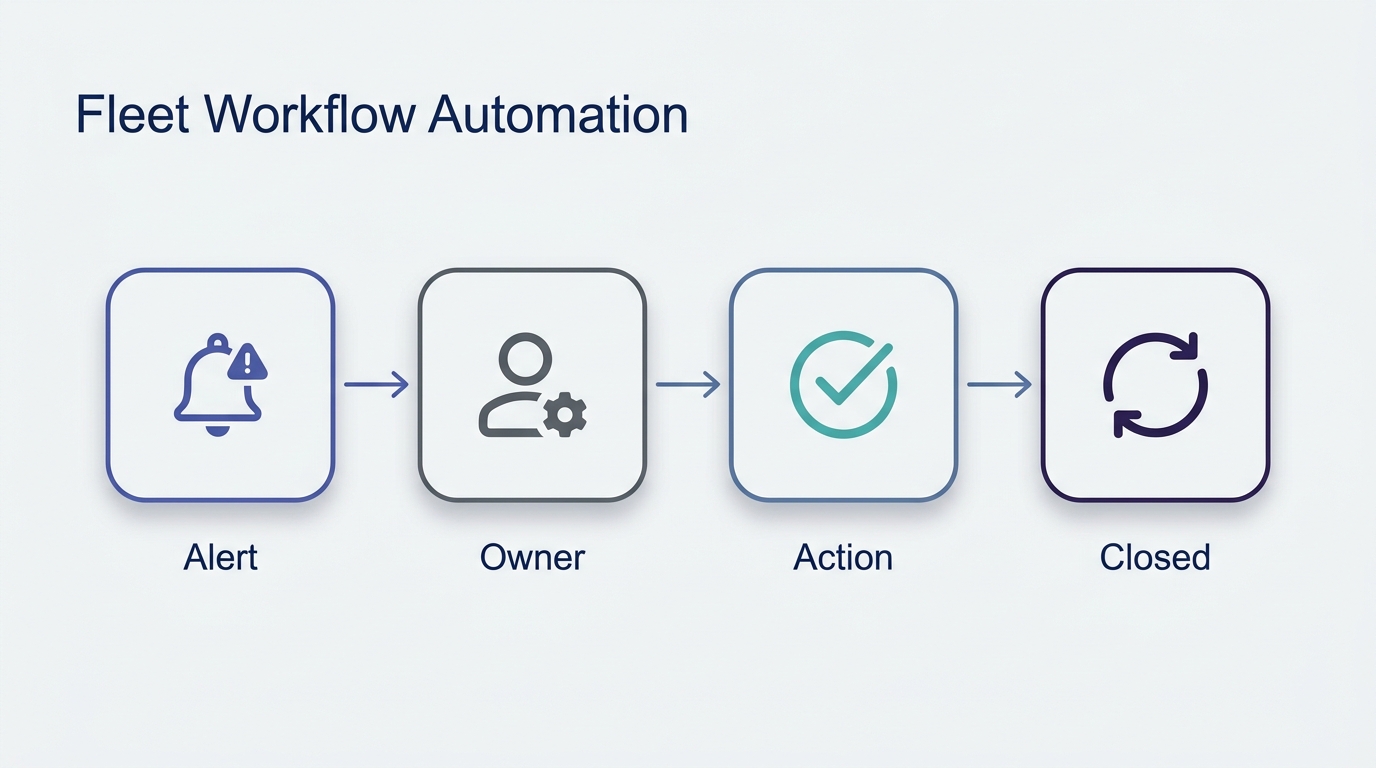
Fleet operations teams have never had more visibility. GPS tracking, telematics, driver safety systems, maintenance platforms, fuel cards, routing tools, ERP data, spreadsheets, inboxes, and Slack channels all produce signals.
That is the good news.
The bad news is that most of the expensive work starts after the signal appears.
A diagnostic alert fires. A vehicle is flagged. A driver reports a problem. A vendor sends an estimate. Dispatch needs to know whether the truck will be available tomorrow. Finance needs approval context. The maintenance manager needs to decide. Somebody needs to follow up. Somebody else needs to update the system.
The dashboard did its job. The workflow still stalled.
That gap is where fleet workflow automation matters.
What Fleet Workflow Automation Actually Means
Fleet workflow automation is not another way to track vehicles on a map. It is the automation of the handoffs, decisions, approvals, follow-ups, and exception handling that happen across fleet operations. In practical terms, it turns fleet operations workflow into assigned, measured, closed-loop work instead of another queue of alerts.
The distinction matters.
Visibility answers: what happened?
Workflow answers: who needs to do what next?
Most fleet software has gotten very good at the first question. Telematics platforms show location, diagnostics, utilization, driver behavior, safety events, fuel patterns, and route performance. Maintenance platforms track PMs, work orders, inspections, parts, and service history.
But fleet operations are not just data problems. They are coordination problems.
A vehicle is not back in service because an alert was visible. It is back in service because the right person approved the repair, the vendor got the answer, dispatch adjusted coverage, the driver was informed, the work was completed, and the closeout was recorded.
Fleet workflow automation is about shrinking the time between known issue and completed action.
Where Fleet Workflows Break
The most common failure mode is not ignorance. Teams usually know something is wrong. The breakdown happens in the messy middle between systems and people.
1. Alerts Create Work, Not Resolution
A telematics alert can tell you that a fault code appeared. It does not necessarily decide whether the vehicle should be pulled, whether the repair is urgent, which vendor should handle it, who needs to approve spend, or how dispatch should respond.
That work often moves into email, phone calls, texts, spreadsheets, and tribal knowledge.
The alert is structured. The response is not.
2. Approvals Sit Between Teams
Maintenance approvals are rarely just maintenance decisions. They touch budget, uptime, safety, vendor trust, route commitments, and customer impact.
That means approvals bounce between fleet managers, maintenance leads, finance, dispatch, and sometimes operations leadership. Every handoff adds delay. Every delay keeps the asset in limbo.
For a 50-vehicle fleet, one slow approval is annoying. Ten slow approvals a week become real capacity loss.
3. Vendors Become the Hidden Bottleneck
Vendor coordination is one of the least glamorous parts of fleet operations and one of the most expensive when it goes wrong.
Someone has to request the estimate, check whether the work is covered, compare the recommendation against policy, approve the amount, ask for status updates, chase completion, and confirm return-to-service timing.
If that work lives in inboxes, it becomes invisible until it is late.
4. Dispatch Learns Too Late
When a vehicle is out of service, dispatch needs to know early enough to make a plan. Too often, the maintenance workflow and the dispatch workflow run in parallel with weak communication between them.
The result is avoidable scramble: missed capacity, manual route changes, driver confusion, and customer updates that happen later than they should.
5. Follow-Through Has No Owner
Fleet teams are good at reacting. They are less consistently equipped to enforce closure across multiple systems.
Was the vendor paid? Was the work order closed? Was the driver notified? Was the root cause recorded? Was the same issue recurring across similar vehicles? Was the learning captured?
If nobody owns the full loop, the same problem comes back in a slightly different form next month.
Why Another Dashboard Does Not Fix This
The fleet software market is full of dashboards. That makes sense. Fleet work is complex, and visibility is necessary.
But more visibility eventually hits diminishing returns.
If your team already knows which vehicles are down, which inspections failed, which estimates are pending, and which routes are at risk, the next improvement does not come from another view of the same information.
It comes from faster action.
A useful test is simple:
When an exception appears, how many human touches are required before it is resolved?
If the answer is unclear, the problem is not the dashboard. The problem is the workflow.
Fleet Workflow Automation Examples
Fault code appears
Manual handoff
Fleet manager checks telematics, emails maintenance, asks dispatch about route impact.
Automated next action
Package fault context, assign owner, route repair decision, notify dispatch.
Metric improved
Alert-to-owner time.
Vendor estimate arrives
Manual handoff
Estimate sits in email while someone checks history and approval thresholds.
Automated next action
Build approval brief, route to approver, follow up with vendor after decision.
Metric improved
Estimate-to-approval time.
Vehicle out of service
Manual handoff
Dispatch and maintenance maintain separate status updates.
Automated next action
Track ETA, notify affected teams, escalate stale updates.
Metric improved
Return-to-service time.
Failed inspection
Manual handoff
Driver report is reviewed later and manually converted into a task.
Automated next action
Classify severity, create work item, trigger safety or repair workflow.
Metric improved
Manual touches per exception.
For many fleets, the best first workflow to automate is the fleet maintenance approval workflow, because repair approvals create measurable downtime when they stall.
The Best First Workflows to Automate
Not every fleet workflow should be automated first. The best candidates have high volume, clear rules, measurable delay, and recoverable exceptions.
Three workflows usually rise to the top.
1. Maintenance Approval and Vendor Coordination
This is often the strongest wedge because the pain is concrete.
A vehicle needs service. A vendor sends an estimate. Someone must decide whether the work is approved, denied, deferred, escalated, or sent for a second opinion.
An AI operator can gather context, compare the estimate against policy, check service history, identify warranty or repeat-repair concerns, route the approval, follow up with the vendor, and keep dispatch informed.
The human still makes the judgment call where needed. The operator removes the coordination drag around the judgment call.
2. Out-of-Service Return-to-Service
A down vehicle creates a chain reaction. Maintenance needs repair status. Dispatch needs capacity status. Operations needs customer impact. Finance may need approval context. Leadership may need visibility if the asset is critical.
Return-to-service automation tracks the workflow from the moment a vehicle is pulled until it is operational again.
The goal is not just to repair the vehicle. The goal is to reduce the time the organization spends uncertain about the vehicle.
3. Dispatch and Back-Office Exception Handling
Fleet exceptions rarely stay in one function. A missed route, damaged asset, failed inspection, billing discrepancy, or vendor delay can involve dispatch, maintenance, finance, customer service, and operations.
AI workflow automation is useful when the exception has a predictable pattern but crosses team boundaries.
The operator can classify the exception, gather the necessary data, assign ownership, draft updates, trigger reminders, and escalate when the issue is stuck.
What an AI Fleet Operator Does
An AI fleet operator is not just a chatbot answering fleet questions. If you are evaluating vendors, start with the criteria in AI fleet management software: what is real, what is hype. It is a managed AI employee assigned to a specific operational workflow.
For a maintenance approval workflow, that might look like this:
6:30 AM. Reviews overnight alerts, failed inspections, vendor updates, and vehicles currently out of service.
7:00 AM. Prioritizes issues by route impact, safety risk, SLA exposure, and estimated downtime.
8:00 AM. Packages approval requests with the right context: fault history, recent repairs, vendor estimate, policy threshold, warranty note, and dispatch impact.
9:00 AM - 3:00 PM. Routes decisions, follows up with vendors, updates work orders, notifies dispatch, and escalates stuck items.
4:30 PM. Sends a daily closure report: vehicles returned to service, approvals pending, vendor delays, recurring issues, and recommended next actions.
That is not a dashboard. That is work.
How to Measure Fleet Workflow Automation
The right metrics are operational, not cosmetic.
Track these before and after deployment:
- Time from alert to assigned owner
- Time from vendor estimate to approval decision
- Time from approval to vendor confirmation
- Time from out-of-service to return-to-service
- Number of manual touches per exception
- Number of stale approvals or unresolved handoffs
- Repeat repairs or recurring exceptions by asset class
- Dispatch changes caused by late maintenance updates
The best metric is usually time-to-action. Not time-to-dashboard. Not number of alerts. Time-to-action.
When Fleet Workflow Automation Is a Bad Fit
This is not magic. It is a strong fit when the workflow is frequent, painful, and structured enough to describe.
It is a bad fit when:
- The process only happens a few times a year
- The decision depends almost entirely on undocumented human judgment
- The data is unavailable or trapped in offline systems
- The organization cannot agree who owns the workflow
- Leadership wants full autonomy before earning trust in smaller steps
The right starting point is narrow. Pick one workflow where delay is expensive and the current handoffs are obvious.
The Stack You Already Have Still Matters
Most fleet teams should not rip out their existing systems to get workflow automation.
If you already use Samsara, Motive, Geotab, Fleetio, an ERP, a maintenance platform, or a routing tool, keep them. For a deeper category comparison, see our guide to the best fleet management software for workflow execution. Those systems generate useful signals and hold important records.
The opportunity is the layer between them.
OpFleet is built for that layer: the work after the alert, the decision after the insight, the follow-up after the vendor email, the handoff after the exception.
Your existing platforms tell you what is happening. An AI operator helps make sure the next action happens faster.
The Bottom Line
Fleet teams do not need more abstract AI promises. They need fewer stuck handoffs.
Fleet workflow automation works when it starts with a real operational bottleneck: maintenance approvals, vendor coordination, return-to-service, dispatch exceptions, finance handoffs, or customer-impact follow-up.
Start there. Measure time-to-action. Keep humans in the loop where judgment matters. Expand only after the first workflow proves itself.
That is how AI becomes useful in fleet operations: not by replacing your fleet stack, but by making the stack operationally faster.
Want to find the first workflow worth automating? Start with an OpFleet workflow assessment →